


CorelDRAW Graphics Suite 2026 — Professional Vector Design and Photo Editing Mastery
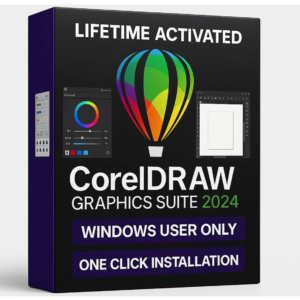
CorelDRAW 2026 is a professional design tool. It helps graphic designers create stunning visuals. The software is trusted worldwide by creative professionals. Additionally, it combines vector illustration with photo editing.
From BDT, you get a lifetime-activated license. Therefore, you own the software forever. There are no monthly fees. Importantly, no renewal costs ever occur. Mani personally tested the software. So, you know it works flawlessly.
Key Features of CorelDRAW 2026
- Vector Design: Create logos and illustrations with precise tools.
- Photo Editing: Edit photos with PHOTO-PAINT. Use pressure-sensitive tools.
- Custom Workspaces: Change your interface. Match your work style.
- Font Manager: Preview fonts. Manage glyphs. Insert symbols easily.
- Fill Controls: Master gradients. Create patterns. Adjust transparency.
- Layout Tools: Use guides. Align objects perfectly. Position elements exactly.
- RAW Support: Edit photos from 300+ camera models. Canon, Nikon, Sony.
Why Buy CorelDRAW 2026 From BDT?
- Personally tested. Mani verifies the software works without crashes.
- Genuine license. Not cracked. Not trial. Not pirated.
- One-time payment. Lifetime activation. Zero renewal fees.
- Instant access. Download links appear in minutes. Not hours or days.
- 24/7 support. Telegram help available. Installation assistance provided.
CorelDRAW 2026 System Requirements
- Operating System: Windows 10 or Windows 11. Must be 64-bit.
- Processor: Intel or AMD. 2.5 GHz or higher needed.
- RAM: Minimum 8 GB. 16 GB recommended for best performance.
- Storage: 20 GB free space needed. SSD is recommended.
- Graphics: 2 GB video memory. DirectX 11 support required.
- Display: 1920×1080 minimum. 4K monitors are recommended.
- Software: .NET Framework 4.8. Microsoft Access Database Engine.
What You Get When You Buy CorelDRAW 2026
- Genuine activation key for lifetime use. Works forever.
- Download link from your BDT dashboard. Access immediately.
- Installation guide with video tutorial. Step-by-step instructions included.
- Telegram support for help. Available 24/7 for questions.
- Lifetime access. No expiration. No renewal needed ever.
Who Should Buy CorelDRAW 2026?
Professional designers use CorelDRAW 2026 daily. Therefore, it suits graphic designers perfectly. Also, it works well for digital illustrators. Additionally, marketing professionals benefit from its tools. Moreover, creative agencies choose this software. Furthermore, independent creators find great value here. Finally, design students learn effectively with CorelDRAW.
CorelDRAW 2026 Vector Design Features
CorelDRAW 2026 creates vector graphics. These graphics scale to any size. They maintain sharp quality always. The drawing tools are precise. Additionally, you get Bezier curves for control. Moreover, node editing lets you refine details. Furthermore, shape manipulation tools help you design. Therefore, professional logos emerge easily. Also, brand identities become clear and polished.
Photo Editing with CorelDRAW 2026 PHOTO-PAINT
PHOTO-PAINT is included in the suite. It edits and enhances photos professionally. Furthermore, you get advanced brushes and tools. Additionally, pressure-sensitive features work like tablets. Also, clone tools remove unwanted elements. Moreover, healing brushes fix imperfections naturally. Importantly, layer-based workflows give you control.
Special effects are included. Smudge, Swirl, Attract, and Repel tools blur creatively. Additionally, Bokeh effects blur backgrounds professionally. Moreover, Color effects adjust tones instantly. Also, Time Machine effects create vintage looks. Furthermore, Sepia effects add warmth. Therefore, your photos look professional.
Custom Workspaces in CorelDRAW 2026
CorelDRAW 2026 offers multiple workspaces. The Default workspace balances all tools. Also, the Simplified workspace reduces clutter. Moreover, the Classic workspace feels familiar. Additionally, you can recreate Adobe Photoshop layouts. Furthermore, Adobe Illustrator setups are possible. So, switching from Adobe becomes easy.
Customize your toolbar. Also, arrange panels your way. Moreover, Quick Setup builds your workspace in minutes. Therefore, your preferred tools appear first. Additionally, efficiency increases immediately. Furthermore, you work faster. Importantly, learning time decreases significantly.
Fill and Color Control in CorelDRAW 2026
The fill engine is powerful. Fountain fills create gradients beautifully. Additionally, elliptical fills work in any direction. Moreover, rectangular fills provide different effects. Also, you adjust transparency independently. Furthermore, individual colors get unique transparency. So, blending becomes sophisticated. Therefore, complex effects emerge easily.
Raster fills add texture. Vector pattern fills create repetition. Additionally, the preview updates instantly. Moreover, you see changes immediately. So, experimentation becomes quick. Therefore, design decisions happen fast.
QR Codes in CorelDRAW 2026
QR code generation is built-in. Create codes that scan reliably. Additionally, your brand colors customize each code. Moreover, logos integrate seamlessly. So, QR codes match your branding. Furthermore, validation ensures they work. Also, test before sharing important codes. Therefore, customer engagement increases.
Use QR codes for marketing. Product packaging benefits from QR codes. Additionally, event promotions include them. Moreover, digital menus use QR codes. Furthermore, payment systems use QR codes. So, modern commerce relies on them. Therefore, CorelDRAW 2026 provides this essential tool.
Typography and Font Management in CorelDRAW 2026
Font management is simple. Preview fonts before using them. Additionally, glyphs display clearly. Moreover, special characters appear instantly. Also, mathematical symbols are accessible. Furthermore, currency signs are available. So, any character finds easy access. Therefore, typography becomes effortless.
The Font Manager helps organize. Tag your favorites. Additionally, categorize by type. Moreover, sort alphabetically. Also, search finds what you need. Furthermore, tracking adjusts spacing. So, professional type emerges. Therefore, designs look refined.
Layout Tools for CorelDRAW 2026
Precision alignment is critical. Guides help position objects. Additionally, smart suggestions appear automatically. Moreover, spacing gets consistent. Also, multi-element layouts work smoothly. Furthermore, outline placement is adjustable. So, objects sit precisely. Therefore, professional layouts emerge.
Distribute commands space evenly. Align tools create uniformity. Additionally, baseline alignment works perfectly. Moreover, mathematical accuracy is guaranteed. So, every element is exact. Therefore, clients receive professional work.
Community Resources for CorelDRAW 2026
Content Center connects designers. Share your work with others. Additionally, browse community assets. Moreover, discover pre-made elements. Also, save design time. Furthermore, get inspired by professionals. So, skill improves quickly. Therefore, networks expand. Importantly, community support helps.
Display Support for CorelDRAW 2026
Multi-display support is valuable. Spread palettes across screens. Additionally, organize toolbars separately. Moreover, maximize workspace. Also, 4K displays are supported. Furthermore, colors display accurately. So, professional work quality increases. Therefore, retouching becomes precise. Importantly, details appear clearly.
Frequently Asked Questions About CorelDRAW 2026
Q: How do I activate CorelDRAW 2026?
Download the installer from your BDT dashboard. Run the installer file. Additionally, follow on-screen instructions. Moreover, enter your serial number when asked. Furthermore, the number is in your email. Also, CorelDRAW verifies online. Therefore, activation is quick. Importantly, internet connection helps. Additionally, offline activation is available. Moreover, our Telegram support helps if needed. So, activation is simple.
Q: Can I use CorelDRAW 2026 on multiple computers?
Your license works on 2-3 computers. Additionally, deactivate on one machine. Moreover, activate on another. Also, flexibility is built-in. Furthermore, personal use is permitted. So, desktop and laptop both work. Therefore, backup systems are covered. Importantly, sharing is not allowed. Additionally, non-transferable applies. Moreover, family sharing needs separate licenses.
Q: Will I get software updates?
Your license covers version 2026. Also, maintenance updates come free. Moreover, security patches are included. Furthermore, bug fixes are provided. So, software stays current. Additionally, major upgrades cost separately. Moreover, upgrade discounts sometimes apply. Therefore, contact us for options. Importantly, support continues forever.
Q: How fast is delivery?
Delivery is instant. Your download link appears in minutes. Additionally, typically 5-15 minutes occur. Moreover, no waiting happens. So, download immediately. Furthermore, installation starts right away. Additionally, you use it same day. Therefore, professional tools come fast. Importantly, no delays occur.
Q: Which Windows versions work?
Windows 10 or Windows 11 required. Additionally, 64-bit only. Moreover, 32-bit does not work. So, check your system. Furthermore, version 1809 or newer needed. Additionally, most computers qualify. Moreover, updates make you compatible. Therefore, verify before buying. Importantly, contact us with questions.
Q: What is your refund policy?
7-day money-back guarantee applies. Additionally, no questions asked refunds occur. Moreover, satisfaction is guaranteed. So, try it risk-free. Furthermore, after 7 days, ownership is permanent. Also, non-transferable applies always. Therefore, read our full policy. Importantly, visit https://bydigitaltreasures.com/refund-policy for details.
Q: How do I get support?
Telegram support is 24/7. Additionally, t.me/bdtagent connects you instantly. Moreover, remote help is available. Furthermore, AnyDesk sessions work smoothly. Also, UltraViewer access is possible. Therefore, screen sharing helps troubleshooting. Additionally, email support works too. Moreover, help@bydigitaltreasures.com receives messages. So, multiple channels assist you. Importantly, responses come quickly.
Q: Is this genuine software?
100% genuine license included. Additionally, not cracked ever. Moreover, not trial software. Furthermore, not pirated keys. So, complete authenticity guaranteed. Also, manufacturer-issued serial numbers work. Therefore, legitimate activation occurs. Importantly, Mani personally tested everything. Moreover, flawless operation guaranteed. Furthermore, lifetime value delivered. So, invest confidently.
Authority Sources and Resources
For additional information about vector design and graphic design software, visit the official Corel design software website to explore the full feature set and manufacturer specifications. Learn more about professional vector illustration through the official Corel support and documentation portal for comprehensive user guides and troubleshooting resources. Understand industry best practices and professional design standards through the American Institute of Graphic Arts (AIGA) professional design association, which provides guidelines and certifications for design professionals. For professional education and certification in graphic design, explore professional design training programs and industry-recognized certifications to develop mastery. Additional tutorials and learning resources are available through official Corel tutorials and video learning channels for hands-on instruction. For technical specifications and software compatibility information, consult the official Corel technical documentation and system requirements to verify your system compatibility before installation.

Reviews
There are no reviews yet.